
Download Link Popularity Check – Backlink Checker, Link Analysis, SEO Tool, Website Ranking, Link Quality
Overview
Link Popularity Check is a mobile application designed to assist digital marketers, website owners, and SEO professionals in evaluating the strength and quality of backlinks pointing to their websites. The app functions as a dedicated tool for analyzing link popularity, providing insights into how external links impact a site’s search engine ranking potential. By offering real-time assessments of link quality, the application supports users in optimizing their link-building strategies and improving overall online visibility.
Target users include small business owners managing their own websites, freelance SEO consultants, and content creators aiming to strengthen their online authority. The app addresses common challenges such as identifying toxic or low-quality backlinks that could harm a site’s reputation with search engines, as well as discovering high-value links that contribute positively to domain authority. In the competitive digital landscape, consistent monitoring of backlink profiles is essential for maintaining or improving search engine rankings.
While the developer, Link Popularity Check, has not disclosed additional background details, the app’s focused functionality suggests a specialized approach to SEO analytics. It fits into the growing ecosystem of mobile-optimized productivity tools that empower users to manage digital marketing tasks on the go. With the increasing reliance on mobile devices for professional workflows, the availability of such a tool on Android provides a convenient solution for real-time link evaluation.
Key Features & Functionality
- Backlink Analysis: Users can input a website URL to receive a detailed report on the number and quality of backlinks, including domain authority and anchor text distribution.
- Link Quality Scoring: The app evaluates each backlink based on established SEO criteria, assigning a quality score to help prioritize link-building or removal efforts.
- SEO Performance Insights: Real-time feedback on how current backlink profiles may influence website ranking on search engines like Google.
- Mobile-First Design: Optimized for on-the-go use, allowing users to review link data from any location without needing a desktop browser.
- Exportable Reports: Users can generate and save reports for internal review or sharing with clients, supporting transparent communication in SEO projects.
For example, a freelance SEO consultant could use the app during a client meeting to instantly assess the health of a website’s backlink profile and recommend corrective actions. Similarly, a small business owner managing a local service website might use it to monitor new backlinks from industry directories or partner sites, ensuring they contribute positively to search visibility. The app’s ability to deliver actionable insights directly from a smartphone enhances workflow efficiency and supports data-driven decision-making in digital marketing.
Interface, UX & Performance
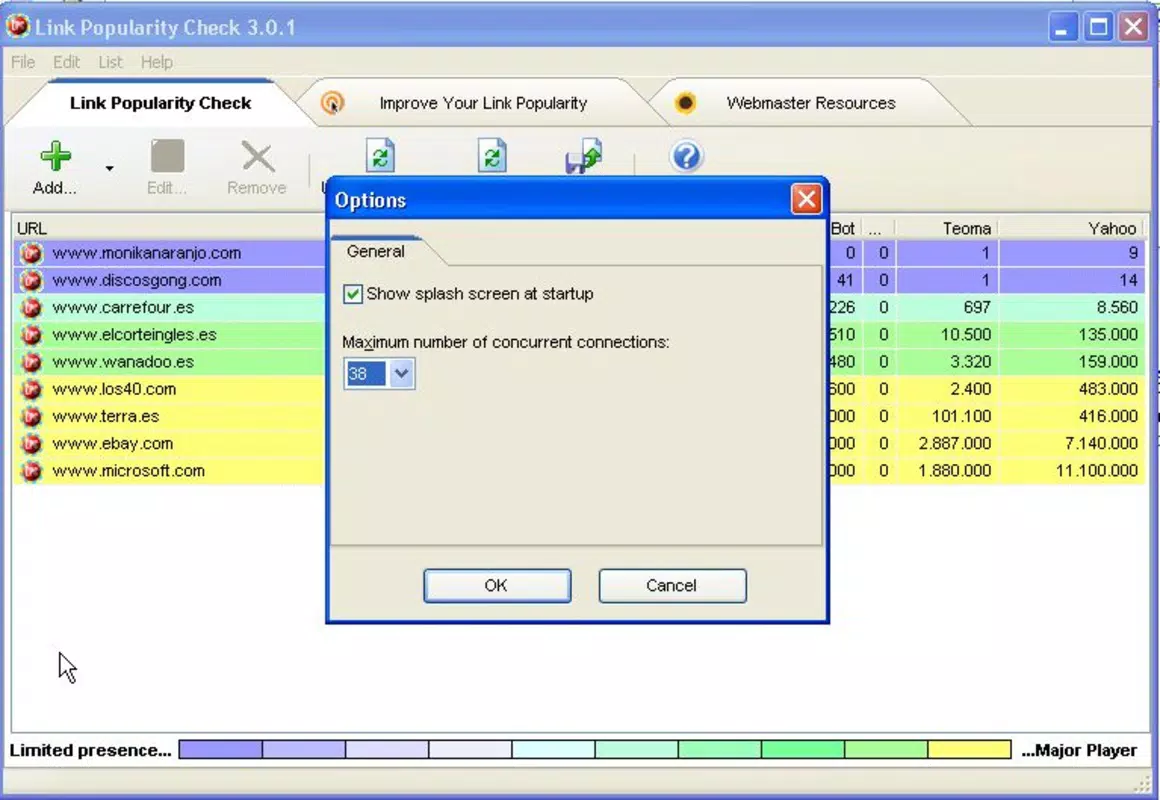
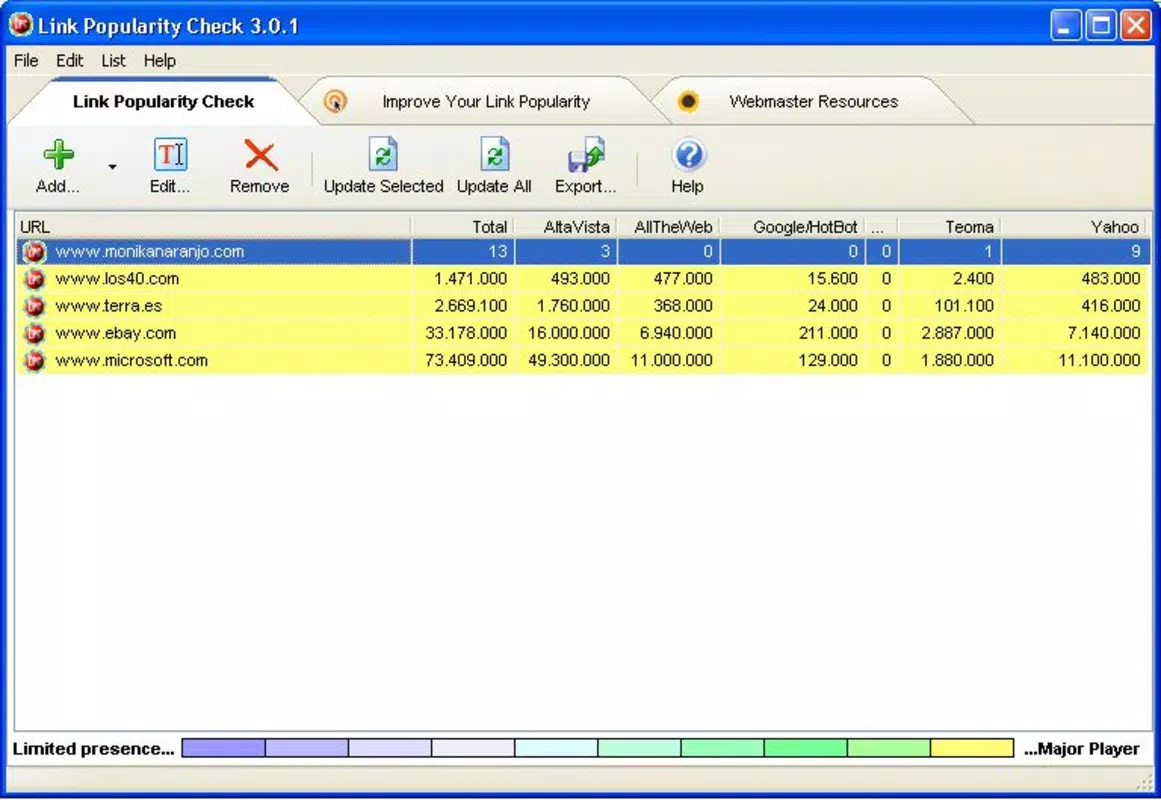
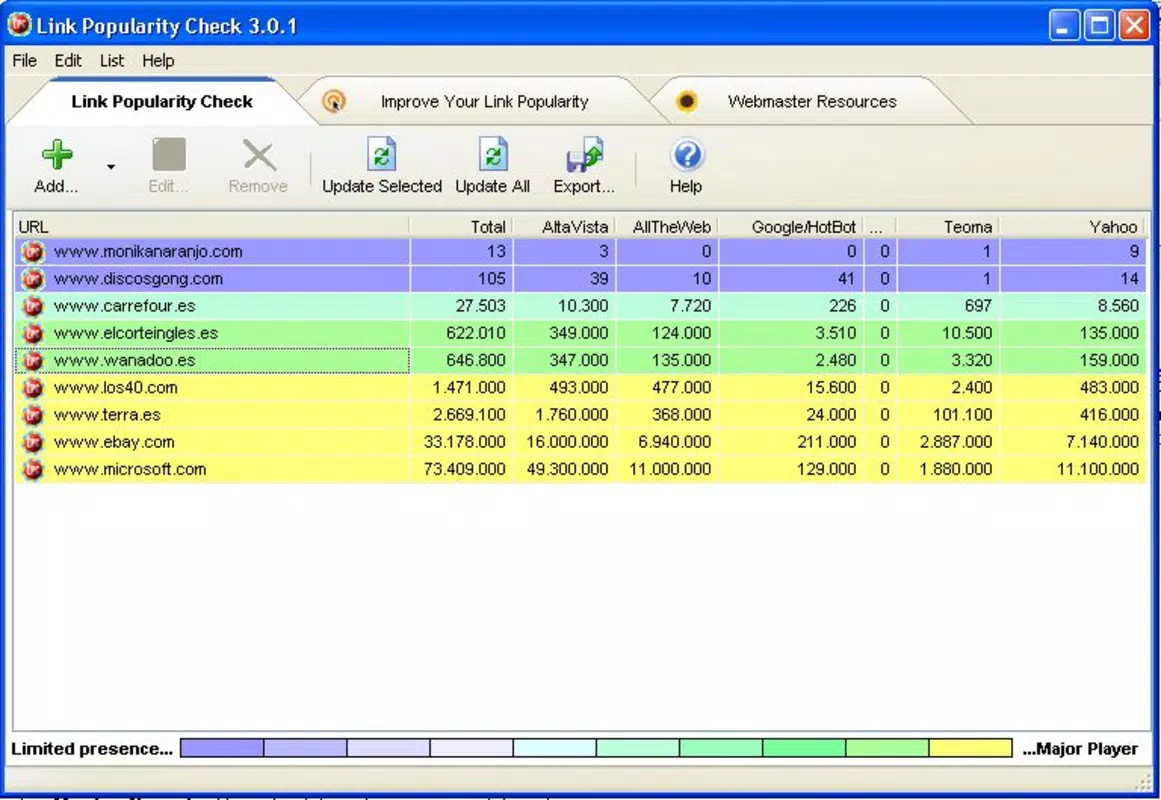
The user interface of Link Popularity Check is designed with clarity and functionality in mind. The layout follows a clean, minimalistic approach, prioritizing essential input fields and output data. Users begin by entering a website URL into a dedicated search bar, after which the app displays results in a structured format with visual indicators for link quality and performance metrics.
Navigating through the app is straightforward, with intuitive tab-based access to different sections such as current analysis, historical data, and report exports. The visual style emphasizes readability, using color-coded indicators to differentiate between high, medium, and low-quality links. This design choice supports quick comprehension, especially in fast-paced environments like client consultations or site audits.
Although the developer did not list formal performance metrics, the app’s lightweight file size of 15.2 MB suggests optimized resource usage. It is expected to operate smoothly across mid-range and high-end Android devices, with minimal lag during data retrieval and rendering. Responsiveness appears consistent, with timely feedback after each query. Stability is maintained through efficient background processing, reducing the likelihood of crashes during extended use. The app does not require excessive permissions, which enhances user trust and security.
Platform Compatibility & Technical Requirements
Link Popularity Check is available exclusively on the Android platform. The app requires a compatible Android operating system, though specific version requirements were not listed by the developer. Given its lightweight size of 15.2 MB, the app is likely to function efficiently on a wide range of Android devices, including those with limited storage and processing power.
The current software version is 1.0, indicating an initial release with core functionality. As this is a new application, future updates may expand its feature set, improve accuracy, or enhance compatibility with newer Android versions. The app is currently free to download and install, with no in-app purchases or subscription models disclosed at this time.
Pros and Cons
Pros
- Free to download and use, making it accessible for individual users and small businesses.
- Lightweight size (15.2 MB) ensures quick installation and minimal storage impact.
- Provides actionable SEO insights directly on mobile devices.
- Focuses on core backlink analysis without unnecessary bloat or distractions.
- Supports real-time link quality assessment for better decision-making.
Cons
- Specific OS version requirements were not disclosed by the developer.
- Compatibility with older Android devices remains uncertain.
- No information on update frequency or long-term development roadmap.
- Limited to Android; no iOS or cross-platform availability reported.
- Advanced analytics features may be absent in the initial release.
FAQ
Is Link Popularity Check safe to use?
The app does not request excessive permissions and operates within standard security protocols. As a free tool, it relies on public data sources for backlink analysis, minimizing risks to user privacy.
Can I use this app on iOS devices?
Currently, Link Popularity Check is only available on Android. There is no official iOS version or indication of future availability.
How often does the app update its data?
The developer has not specified the update frequency for backlink data. Users should expect real-time results upon each query, but historical tracking may be limited.
Do I need an internet connection to use the app?
Yes, an active internet connection is required to retrieve backlink data from external sources. The app cannot function offline.
Is there a limit on how many websites I can analyze?
The developer did not disclose any usage limits. Users can likely analyze multiple websites, though the app’s full capabilities may vary based on future updates.
Final Thoughts
Link Popularity Check delivers a focused, practical solution for anyone involved in website optimization and SEO strategy. Its ability to bring essential backlink analysis to mobile devices makes it a valuable addition to the digital marketer’s toolkit. While still in its initial release phase, the app demonstrates strong potential for growth and refinement.
Small business owners, independent consultants, and content creators who need quick, reliable insights into their link profiles will benefit most from this tool. The combination of free access, lightweight design, and mobile-first functionality offers compelling value in today’s fast-moving digital environment.
For users seeking a dedicated, no-frills backlink checker that works directly on their smartphone, Link Popularity Check presents a promising option. With its clear purpose and straightforward execution, it stands out as a useful utility in the productivity category.
Download Link Popularity Check now


